
Production Planning · Production insight
Why Clothing Sample Revisions Stall and How to Write Better Feedback
Sample revisions stall when the buyer and supplier are working from different versions, comments mix approval blockers with preferences, measurements lack a point of measure or tolerance, several variables change at once, or nobody owns the next decision. Send one versioned feedback sheet that separates keep, change, and open items; ties each change to a measurement, photo, or specification; ranks blockers; and states what the next sample must prove. Approve only after unresolved changes are explicitly closed.
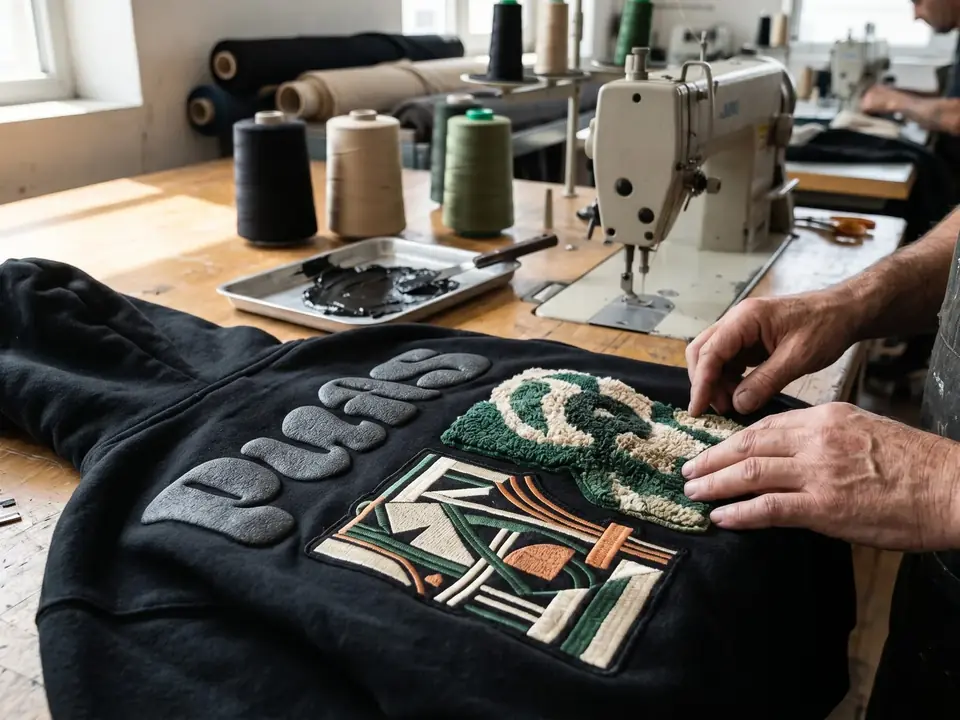
This article starts after a development sample has arrived. It does not replace a custom streetwear sample process, a hoodie size grading and fit approval guide, or a custom clothing quality control checklist. Its job is narrower: help the buyer decide what the next sample or approval must prove.
Why Clothing Sample Revisions Stall
A revision loop usually slows down because the instruction is not reviewable, not because the buyer has too many opinions. A comment such as “make it more oversized” can mean a longer body, wider chest, dropped shoulder, larger sleeve, or a different visual proportion. A comment such as “the print feels wrong” can refer to scale, placement, ink coverage, edge quality, color, hand feel, or the artwork file itself.
Four gaps create most avoidable ambiguity:
- Version mismatch: the buyer marks up one tech pack or artwork file while the supplier is using another.
- Mixed priorities: a must-fix measurement is placed beside a personal preference with no approval rule.
- Missing evidence: the note names a problem but does not identify the measurement point, photo, color reference, or artwork area behind it.
- Unowned decisions: nobody states who will answer the open question, what the next sample should demonstrate, or when the item can be approved.
Before writing a long paragraph, identify the sample by style, size, color, date received, and brief version. If the sample changed fabric, fit block, decoration route, or packaging at the same time, record that too. A feedback sheet cannot make two different sample versions comparable by itself.
Separate Approval Points From Preferences
Not every difference deserves another sample. Sort each comment into a decision class before sending it:
- Must change before approval: the item fails the agreed fit, construction, decoration, label, packaging, or safety requirement for this project.
- Should change if the route allows: the item is important to the intended result, but the change may affect construction, cost, or another approved variable.
- Accepted for this sample: the difference is visible and recorded, but it does not block the next decision.
- Open question: the buyer does not yet have enough evidence to request a precise change.
This classification prevents a supplier from treating every comment as equally urgent and prevents a buyer from approving a sample while unresolved blockers remain hidden. It also makes a later commercial conversation more honest: a preference may be deferred, while a failed measurement or incorrect artwork placement may need a defined correction.
Use one sentence to state the approval gate. For example: “The sample can move to the next review only when the approved size measurement, decoration placement, and label version are confirmed; the remaining color preference is recorded as open.” The exact gate depends on the project. Do not borrow a generic tolerance or revision promise and present it as universal.
Write Feedback a Production Team Can Use
Good feedback identifies the object, the evidence, the requested change, and the condition for acceptance. For measurement comments, name the point of measure and compare target, actual result, and agreed tolerance when those values exist. For visual comments, attach a marked photo or artwork reference and identify the location rather than relying on “looks off.”
Separate comments by the variable they affect:
- Fit and measurement: point of measure, sample size, target, actual result, and whether the difference blocks approval.
- Fabric and wash: fabric identity, weight or GSM direction, hand feel, color, surface, wash, or shrinkage observation.
- Decoration: process, artwork version, placement, scale, edge, coverage, color, texture, and the viewing condition used for review.
- Labels and trims: label artwork, dimensions, position, material, stitch or attachment method, and version.
- Packaging and packout: bag, size sticker, SKU, hangtag, carton mark, fold, and any product-to-package relationship that must be checked.
- Workmanship: a specific seam, edge, thread, closure, panel, or finishing observation supported by a close photo.
Do not combine unrelated changes into one vague request. If the body length, fabric, print size, and label position all change in the same round, the next sample may not show which change resolved the original problem. Group changes only when they are part of one decision and the acceptance rule can still be checked.
Use a Revision Table Instead of a Paragraph of Opinions
A revision table makes the next action visible to both sides. Keep the original file or photo reference beside the table so the row can be reviewed without guessing.
| Item | Evidence | Requested change | Acceptance rule | Status and next proof |
|---|---|---|---|---|
| Body length, size M | POM photo and measurement sheet, sample dated 2026-08-18 | Recheck the point of measure against the approved version | Target and agreed tolerance are recorded and met, or the deviation is explicitly accepted | Fit review open; pattern reviewer returns an updated measurement sheet and front/back photo |
| Front artwork placement | Marked front photo plus artwork file version | Move the artwork to the marked position and confirm scale | Placement and scale match the marked reference at the stated viewing distance | Decoration review open; decoration reviewer returns a proof or new sample close-up |
| Neck label | Label artwork v3 and inside-neck photo | Replace the label with the approved version and keep the position clear | Artwork, size, position, and attachment method are confirmed | Trim review open; inside-neck photo must show the version reference |
| Polybag and size sticker | Packout note and size sticker reference | Confirm the bag size and sticker information before bulk handoff | Garment, size information, and SKU relationship are unambiguous | Packout review open; packout photo and final packing note are next proof |
The table is not a substitute for the technical file. It is the decision layer that connects the physical sample to the file, the responsible reviewer, and the next proof. If a value is unknown, write “open” and name the question that would close it. An empty cell should not silently mean approval.
Decide Whether to Revise, Approve, or Rebuild the Brief
Use revise when the product identity is stable and the gap is specific. The team can point to one or more controlled changes, the sample still represents the same brief, and the next proof is clear. A revision is easier to evaluate when the feedback keeps accepted variables frozen.
Use approve when the remaining differences are understood, accepted for the intended use, and recorded in the final reference. Approval does not mean every preference disappeared. It means the buyer can state what was approved, what remains outside the approval, and which records must travel into the production brief.
Use rebuild the brief when the requested changes alter the product enough that the sample no longer represents the original proposal. Examples include a new fabric structure, a materially different silhouette, a new decoration route, a changed packaging system, or a different size and color architecture. In that case, label the next version clearly instead of calling it a minor revision.
Do not use the number of revision rounds as the approval rule. A short loop can remain unclear, and a longer loop can be justified when the product variables genuinely change. The useful question is whether the next decision is supported by specific evidence and a shared version.
Protect the Bulk Handoff After the Last Revision
When a sample is approved, freeze the reference that the approval actually covers. At minimum, carry forward the approved product name or style code, sample date and size, measurement reference, fabric and finish direction, decoration artwork and placement, label versions, packaging rules, open exceptions, and the person or team that confirmed each decision.
Record what the sample proves and what it does not prove. A sample can show the reviewed development result and establish a reference for later checks. It cannot, by itself, prove that every bulk unit will match, that materials will remain available, or that every packout detail will be repeated without a production control plan. Use the custom clothing quality control checklist when the approved reference moves into bulk-stage checks.
If the original RFQ was incomplete, rebuild the baseline with the custom streetwear RFQ checklist before asking for another quote or production handoff. If the buyer needs a broader design-to-production review, the custom manufacturing services page is the relevant commercial route. Keep those links tied to their distinct jobs rather than repeating a generic manufacturer pitch inside this article.
Buyer answers
Frequently Asked Questions About Sample Feedback
What should I do when a sample is close but not right?
Separate approval blockers from preferences, then send one versioned table with evidence, requested changes, and acceptance rules. Ask for the next proof that will resolve the blocker instead of describing the whole sample as simply “not right.”
How many sample changes should be combined in one feedback round?
Combine changes only when they belong to one decision and can be checked together. Keep unrelated fit, fabric, decoration, and packaging variables separate when changing them at once would make the next sample difficult to interpret.
Should fit or decoration be corrected first?
Correct the variable that controls the next meaningful decision. Fit may determine where decoration sits, while a decoration proof may be enough when the silhouette is already approved. State the dependency in the feedback sheet and ask the reviewer to confirm the order for the actual product.
Can I approve a sample with minor open points?
Yes, only when each open point is described, accepted for the intended stage, assigned to an owner, and carried into the production record. Do not call an item minor if it changes the approved measurement, artwork, label, packaging, or another requirement that the next stage relies on.
What should be recorded after final sample approval?
Record the approved version, sample identity, measurements, fabric and decoration direction, artwork and label files, packaging rules, exceptions, approval date, and what the sample does not prove about bulk production. That record becomes the reference for the next review and handoff.
Send a Reviewable Production Brief
When the feedback is versioned and the next decision is clear, send the reviewable production brief through the RFQ form. Include the product reference, quantity, size range, material direction, artwork, decoration, labels, packaging, destination, sample objective, and the specific questions that still need an answer. Feasibility, scope, and any later production decision must be confirmed for the individual project.